
Wondering what documents do I need for a PNG eVisa? To apply for a Papua New Guinea eVisa in 2026, you must prepare a valid passport, a recent digital photograph, proof of travel, accommodation confirmation, and the visa fee payment receipt. All files must be uploaded to the evisa.ica.gov.pg portal as PDF, JPEG, or PNG files, strictly adhering to the 2 MB to 5 MB size limits. This guide was last reviewed on 14 September 2026 against the ICA portal requirements.
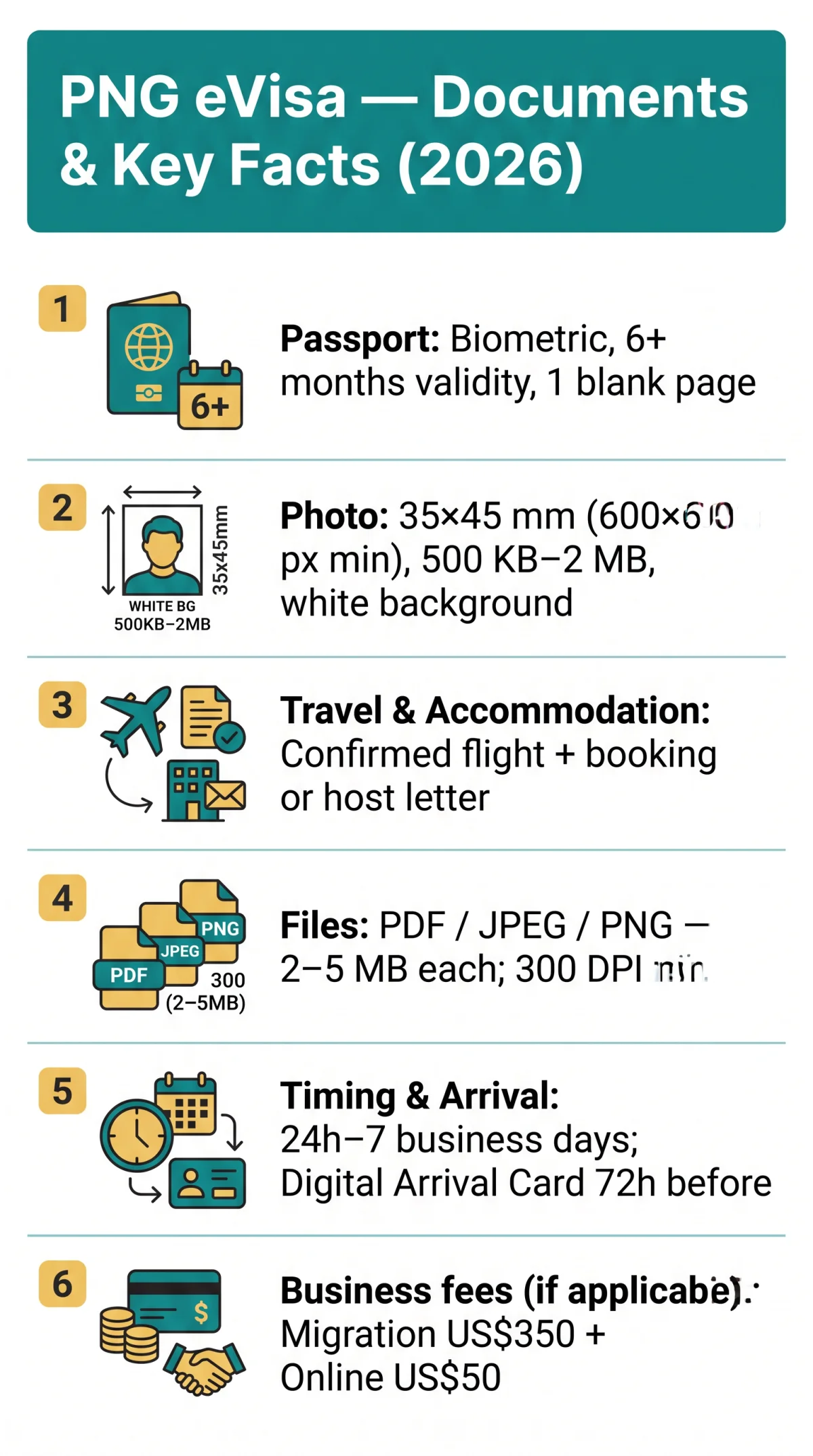
To apply for a PNG eVisa in 2026, you need a valid passport (6+ months validity beyond your intended stay), a recent passport-style photo (35x45mm, white background), proof of travel (flight itinerary), accommodation confirmation, and the visa fee payment receipt. All documents must be uploaded as PDF, JPEG, or PNG files, each under 2-5 MB.
The Papua New Guinea eVisa is an electronic travel authorisation issued by the Immigration & Citizenship Authority (ICA) through the eVisa portal at evisa.ica.gov.pg. UK citizens planning tourism or short-term business visits must submit a complete application online. Preparing these materials in advance reduces the risk of rejection and processing delays. Every scan must be clear, with all four corners visible and the Machine Readable Zone legible. Conditional documents, including bank statements or business sponsorship letters, may be requested by immigration officers. Always verify that your files are password-free and contain no watermarks before starting the application process on the PNG eVisa portal.
Overview – What the PNG eVisa Application Requires
The PNG eVisa requires five core document categories, with specific file formats and upload rules enforced by the immigration portal. The mandatory documents for a PNG eVisa application vary slightly by visa type: tourist eVisas (single entry, 30 or 60 days) demand leisure-travel evidence, while business eVisas require an invitation letter from a PNG-based sponsor registered with the Investment Promotion Authority (IPA). For a full breakdown of PNG eVisa eligibility and application requirements, see our dedicated guides.
- Passport – a biometric passport with at least 6 months’ validity beyond the intended departure date and at least 1 blank page for an entry stamp.
- Digital photograph – a recent passport-style photo measuring 35mm x 45mm on a plain white or light-grey background.
- Travel itinerary – a confirmed flight booking showing departure date, flight number, and passenger name.
- Proof of accommodation – a hotel booking confirmation or an invitation letter from a host in Papua New Guinea.
- Visa fee payment receipt – proof of payment required to finalise the application.
Mandatory Passport Documents & UK Rules
The mandatory documents for a PNG eVisa application begin with a valid biometric passport and a clear, full-colour scan of its biodata page. Your passport must hold at least six months’ validity beyond your intended departure from Papua New Guinea and contain a minimum of one blank page for an entry stamp.
- Passport type: UK citizens must hold a standard British citizen passport; British Overseas Territories passports are not accepted under standard eligibility.
- Scan resolution: minimum 300 DPI, full colour, with all four corners of the biodata page visible and the Machine Readable Zone (MRZ) free of glare.
- File format: PDF or JPEG, maximum 2-5 MB per upload, no password protection, no watermarks.
Insufficient passport validity can trigger airline boarding refusal and outright PNG eVisa rejection, so verify the six-month threshold before scanning or uploading anything to the eVisa portal.
Digital Photo Requirements
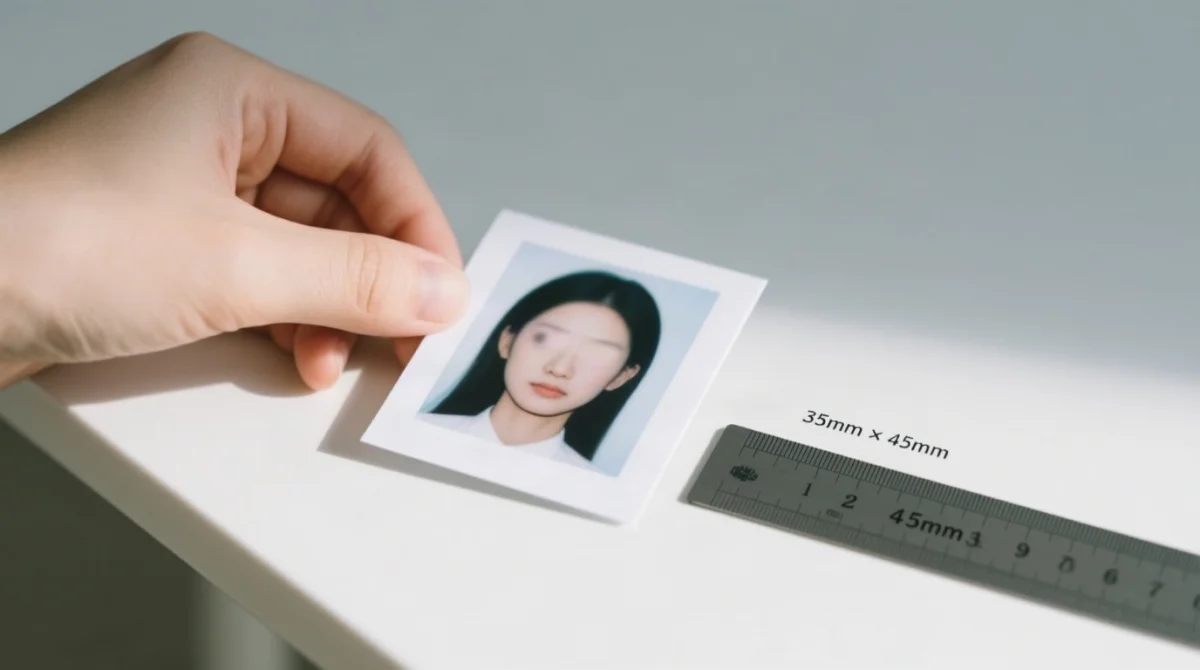
The PNG eVisa digital photo must be 35mm x 45mm with a plain white or light-grey background, submitted in JPEG or PNG format. A non-compliant photograph is one of the most frequent causes of PNG eVisa application delay.
| Specification | Requirement |
|---|---|
| Dimensions | 35mm x 45mm (minimum 600 x 600 px) |
| Background | Plain white or light grey, no patterns |
| Expression | Neutral, mouth closed |
| Head position | Head occupies 70-80% of the frame |
| Accessories | No glasses (unless medically necessary); no hats or head coverings (religious exceptions may apply) |
| Recency | Taken within the last 6 months |
| File format | JPEG or PNG |
| File size | Maximum 500 KB – 2 MB |
A photo taken outside the 6-month window or exceeding the 2 MB ceiling will be rejected by the PNG eVisa portal at evisa.ica.gov.pg.
Proof of Travel & Accommodation
The mandatory document set for a PNG eVisa application requires a confirmed flight itinerary and accommodation proof covering the entire stay.
- Flight itinerary: A digital PDF showing the departure date, flight number, and passenger name. If you hold no return ticket, proof of onward travel to another destination is accepted instead.
- Hotel booking confirmation: Must include a booking reference, dates of stay, and guest name matching your passport exactly.
- Host invitation letter: Required when staying with family or friends. The letter must state the host’s address and phone number, and a host ID or proof of residence may be requested alongside it.
- Coverage rule: Every accommodation document must cover the entire duration of stay in Papua New Guinea.
- Accepted formats: PDF or JPEG for both travel and accommodation uploads, with file sizes kept within the PNG eVisa portal’s 2 to 5 MB per-file limit.
Financial Evidence & Business Sponsorship
Bank statements may be requested conditionally, while business eVisa applicants must provide an IPA-registered sponsor letter for the PNG eVisa.
Financial evidence for a PNG eVisa is conditional and requested only by immigration officers. If asked, you must obtain your most recent monthly bank statement as an original PDF with the bank signature on every page. Password-protected files are not accepted by the portal.
- Bank statement format: original PDF, password-free, showing account holder name, balance, and statement date.
- Sponsor requirements (business eVisa): invitation letter from a PNG-based sponsor registered with the Investment Promotion Authority (IPA).
- Sponsorship letter content: issued on company letterhead, signed, including a statement of financial maintenance and proposed frequency of visits.
- Business multiple-entry visa fees: Migration Service Fee US$350; online lodgement fee US$50 if applicable.
- Conditional request: a police clearance certificate may also be requested by immigration.
Business visa applications can be lodged via email at [email protected] or through any PNG Diplomatic Mission prior to travel. No Change of Status is permitted once the visa is issued, and no extension of stay is allowed for multiple-entry business visas for the PNG eVisa.
Upload Specifications & Technical Guidelines
The PNG eVisa portal accepts PDF, JPEG, and PNG files up to 2-5 MB each, with a minimum scan resolution of 300 DPI. The upload guidelines for the PNG eVisa mandate specific file naming conventions: avoid special characters, diacritics, and spaces, using clear names such as passport_scan.pdf. Multi-page documents, such as bank statements or itineraries, must be merged into a single multi-page PDF rather than uploaded separately.
Password-protected files are not accepted by the portal. No watermarks or stamps are permitted on any uploaded documents.
| Document Type | Accepted Formats | Max Size | Resolution |
|---|---|---|---|
| Passport Bio-Page | PDF, JPEG, PNG | 2-5 MB | 300 DPI |
| Digital Photo | JPEG, PNG | 500 KB – 2 MB | 600×600 px min |
| Supporting Documents | PDF, JPEG, PNG | 2-5 MB | 300 DPI |
Scanning & Uploading Documents Perfectly
Use a flatbed scanner or reliable phone app to produce glare-free, 300 DPI colour scans with all four corners visible for your PNG eVisa upload.
Lighting
Use natural or diffused light to avoid glare on laminated surfaces.
Resolution
Scan at 300 DPI minimum in full colour; black-and-white output may be accepted but colour is safer.
Visibility
Ensure all four corners of the document are visible in every scan.
Legibility
Keep the Machine Readable Zone (MRZ) strip legible and free of reflections.
File size
Convert to PDF or compress JPEG to stay within the 2-5 MB limit per file.
Security
Remove any password protection before uploading; protected files are rejected by the PNG eVisa portal.
Post-Approval, UK Notes & Troubleshooting
After approval, submit a Digital Arrival Card 72 hours before arrival. Common upload errors are resolved by adjusting formats and file sizes.
Digital Arrival Card
The Digital Arrival Card, effective 1 October 2025, is mandatory for all travellers and must be submitted within 72 hours prior to arrival in Papua New Guinea via the ICA portal. It requires passport details, flight information, and accommodation data for the PNG eVisa holder.
UK-Specific Entry Notes
UK citizens holding a standard British citizen passport have no visa exemption for Papua New Guinea. Lodge your PNG eVisa application 1-2 weeks before travel; processing typically takes 24 hours to 7 business days. For details on eligible countries and the full application process, see our related guides.
Troubleshooting Common Upload Issues
| Problem | Solution |
|---|---|
| File too large | Compress to under 5 MB using free JPEG compression tools |
| Wrong file format | Convert to PDF or JPEG before uploading |
| Upload timeout | Use a PC on a stable internet connection instead of a phone |
This is an independent travel guide and is not affiliated with the government of Papua New Guinea. The application portal is evisa.ica.gov.pg. Always verify requirements directly with the Immigration & Citizenship Authority before submitting your application.
FAQ
What documents do I need for a PNG eVisa in 2026?
You need a valid passport with at least six months validity beyond your intended departure, a 35mm x 45mm digital photo, a flight itinerary, accommodation proof, and a visa fee payment receipt. Optional documents that may be requested conditionally include bank statements and invitation letters from a registered sponsor.
Can I upload a JPEG scan of my bank statement?
PDF is strongly preferred for bank statements. If you use JPEG, ensure it is uncompressed, clear, and under the maximum file size limit. Password-protected files are strictly rejected by the PNG eVisa portal.
What is the maximum file size for uploading documents to the eVisa portal?
The PNG eVisa portal allows files between 2 MB and 5 MB per upload. Use free online compression tools to reduce larger files before submission.
Do I need a travel itinerary or flight bookings for a PNG eVisa?
Yes, proof of onward or return travel is mandatory. A confirmed flight booking showing departure dates, flight numbers, and passenger name is required for the PNG eVisa.
My invitation letter is in Tok Pisin, do I need a certified translation?
Yes, any supporting documents not in English must be accompanied by a certified English translation before uploading them to the PNG eVisa portal.
What photo specifications are required for the PNG eVisa?
The photo must be 35mm x 45mm with a minimum of 600 x 600 pixels. It requires a plain white or light grey background, a neutral expression with mouth closed, and no glasses. It must be taken within the last six months and uploaded in JPEG or PNG format.
How do I convert my documents to PDF for a PNG eVisa upload?
Use free online tools like SmallPDF or ILovePDF, or built-in phone scanner apps. Ensure the final output is clear, uncompressed, password-free, and under the 5 MB limit. If you have multiple pages, merge them into a single multi-page PDF rather than uploading separate files.
Do I scan both sides of my ID card for a PNG eVisa?
If an ID card is specifically requested by immigration, scan both sides and merge them into a single multi-page PDF. Ensure all text and photos are clearly legible, with all four corners visible. The scan should be in full colour at a minimum resolution of 300 DPI.
What happens if my uploaded documents are rejected?
Common reasons include blurry scans, wrong formats, missing corners, or oversized files. Re-scan your document at 300 DPI, convert it to the correct format, compress it, and re-upload promptly. Ensure there is no glare on the Machine Readable Zone and that the file is not password-protected.
Is travel insurance mandatory for a PNG eVisa?
Travel insurance is not strictly mandatory but is strongly recommended. Carry proof of coverage, including medical evacuation, with your travel documents. A yellow fever vaccination certificate is also required if you are arriving from a country with a risk of yellow fever transmission.